


Project
Head-office Backup Refresh
- Client
- PT Contoh Nusantara
- Project status
- Active
- Linked documents
- 8
- Suggestions
- 3
(00)Document management for organisations
Obscura keeps each document on one path, from its first draft until someone finds it, understands it and acts on it. It runs on your own servers, so your documents stay with you.
(01)The long way round
This is an illustrative example, not a benchmark.
The draft is written in email, the approval is chased over chat, and the signature happens in a separate app. Afterwards, the signed file goes into a shared folder while someone updates a spreadsheet so that the team can keep track of it.
(02)The price
21.3% of productivity is lost to document problems IDC, 2012
19%
of the workweek goes to searching for and gathering information
McKinsey Global Institute, 2012
The IDC figure is a baseline from a study, so it is not a claim about your organisation.
Estimate the cost for your organisationBecause the cost is spread across many people and many small delays, it never shows up as a single line in the budget, but you still pay it every year.
(03)Obscura
Obscura is one application for a document's whole journey. Your team creates, approves, signs and stores each document in one place, and can still find it and understand it years later.
You can run it on your own servers, in a private cloud or on a closed network.
(04)In Obscura
Because every step happens in the same application, nobody has to download a file, send it on and upload it again.
Start from an approved template, and edit Word, Excel or PowerPoint files directly in the browser.
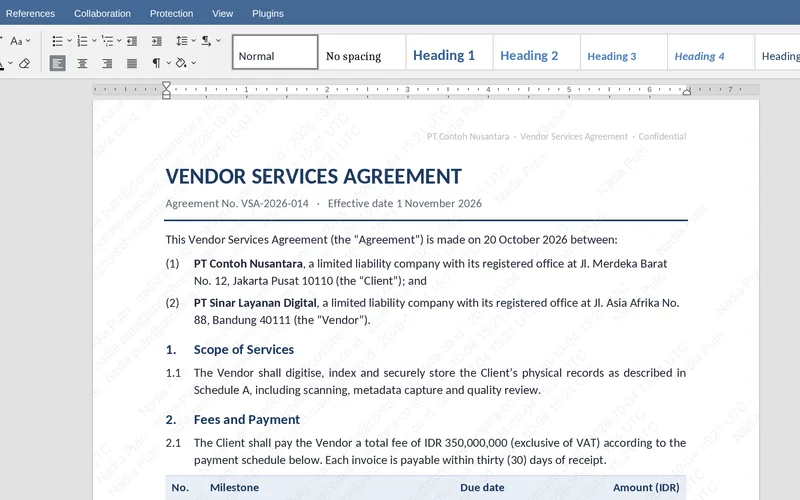
The approval follows the route set for each position, with deadlines, escalation and a note for every decision.
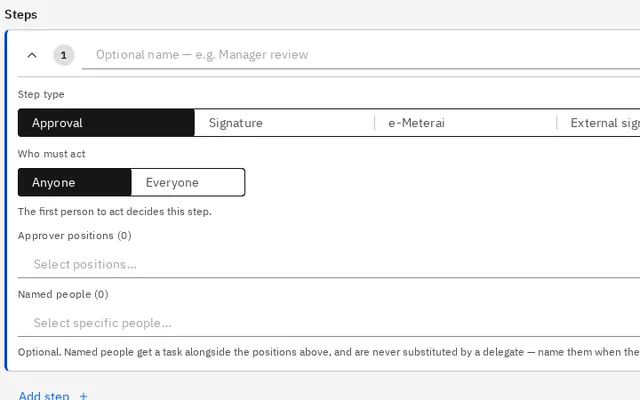
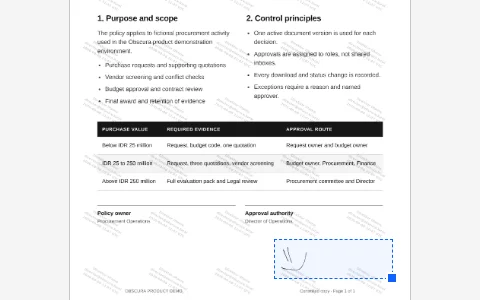
Certified e-signatures and e-Meterai are applied to the same document, so there is nothing to print.
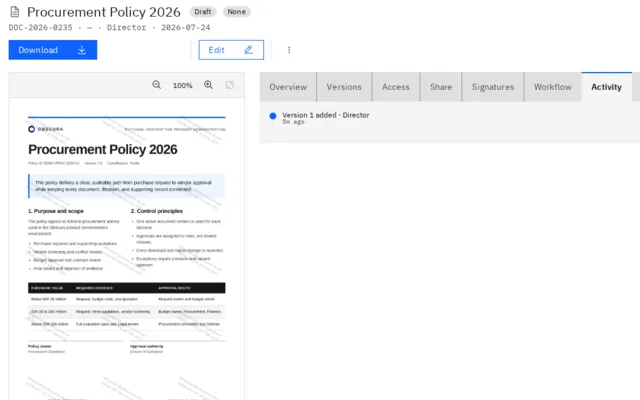
The document is numbered, classified and kept for its retention period, and its full history is one click away.
The work moves faster, and at the same time you keep tighter control over it.
Certified signing and e-Meterai connect through external providers.
(05)Ask
You can search by meaning rather than exact words, and you can ask a question about one document or a set of folders. Every answer links to the sources it came from, so you can open them and check.
When is the first payment due?
Vendor Agreement · p. 4

AI only uses documents that the person asking is allowed to see. You can run a local model, use an approved provider, or turn AI off entirely.
(06)Contract & Project Intelligence
In Obscura, every document is connected to the project and the contract that it belongs to.
Obscura lays out a project's contracts, amendments, purchase orders, invoices and acceptance records in one graph. AI suggests new connections and shows the quote that supports each one, but nothing is linked until someone on your team accepts it.
Project
Head-office Backup Refresh
Document
REQ-001 · Requirements brief
Document
SOW-001 · Statement of work
Document
PRP-002 · Proposal revision 2
Document
PRP-001 · Proposal revision 1
Document
PO-001 · Purchase order
Contract
AGR-001 · Backup services agreement
Document
AMD-001 · Reporting addendum
Document
INV-001 · October service invoice
Document
BAST-001 · October service acceptance
Project
Head-office Backup Refresh
AI suggestion
Bills for
Bills October 2026 services against the cited purchase order.
Supporting quote
“…this invoice refers to PO‑001…” p. 1
AcceptReject
Solid line: recorded connectionDashed line: AI suggestion
Access to a project does not open documents that are restricted.
Illustration with sample data
(08)Inside Obscura

Capabilities depend on the modules you choose.
(09)
It could be an employment contract or a vendor agreement. We will measure how long the process takes today and how long it takes in Obscura.
If the price still feels too high once you have seen the numbers, that is fine, because you will at least know exactly what your current way of working costs.